SharePoint governance assessment showing ownership, access, content and lifecycle risks

What is SharePoint Governance Debt? A Guide for CIOs and IT Leaders

SharePoint governance debt is the accumulated risk, cost and operational friction created when decisions about ownership, access, content and lifecycle management are repeatedly deferred. It builds quietly, but eventually makes information harder to trust, change and govern.  For CIOs and IT Leaders, this is not simply a SharePoint housekeeping problem. It affects how quickly employees[…]


SharePoint modernisation and migration planning in a Microsoft 365 digital workplace

Classic SharePoint Changes Are Coming: What Organisations Need to Do Before 2027

Microsoft is restricting the creation and editing of specific classic SharePoint Online experiences from March 2027. ,Affected user-created pages will become read-only from October 2028. Organisations need to identify critical dependencies before they become and urgent operational problem.  TL;DR Microsoft is not retiring SharePoint Online. It is retiring or restricting specific classic publishing, page and[…]

What “AI ready” actually means. An action plan for engineering consultancies.

A practical, six-part action plan for getting your SharePoint AI-safe. TL;DR AI can read everything your users have access to. If your permissions are messy, AI’s answers will be too. Six things need to be in order: project site architecture, document libraries, retention, sensitivity labels, Entra ID groups, and an oversharing scan. You have two real choices: DIY[…]

Getting Copilot-ready as a NDIS provider: a 6-step plan for safe rollout without exposing participant data

TL;DR Copilot doesn’t leak data. But it does reflect whatever’s already in your SharePoint. If permissions are messy, Copilot will happily surface participant records to people who shouldn’t see them. Your NDIS Code of Conduct obligations don’t pause for AI. Principle 2 (“respect the privacy of people with disability”) and the Privacy Act 1988 still apply. Copilot[…]

Copilot Cowork: What It Is, What It Does, and How to Set It Up for Success

Copilot Cowork helps execute work, not just answer prompts. You delegate outcomes; Cowork plans and carries the task forward. It works across Microsoft 365 (Outlook, Teams, Word, Excel, SharePoint). You stay in control with approvals and check‑ins. It uses your existing permissions and data. Messy M365 = messy results (Cowork highlights the cracks). Availability is[…]

How Councils Can Fix SharePoint Findability and Get Ready for Copilot

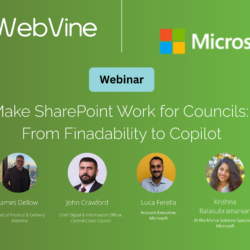
Webinar Wrap Up Copilot puts a spotlight on something councils have been wrestling with for years: findability in SharePoint. So we partnered with Microsoft to run a practical webinar for councils, focused on getting SharePoint foundations right and preparing for Copilot with confidence. In the session: John Crawford, Chief Digital and Information Officer at Central[…]

SharePoint Turns 25: What Microsoft Announced, and What It Means for Your Intranet

TL;DR Microsoft used SharePoint’s 25th birthday to set direction, not look back SharePoint is now the primary knowledge platform powering Copilot and AI agents Microsoft is redesigning SharePoint around how people actually use it: Discover, Publish and Build This is a foundational UX shift, not a cosmetic refresh Copilot doesn’t fix messy content. It amplifies[…]