
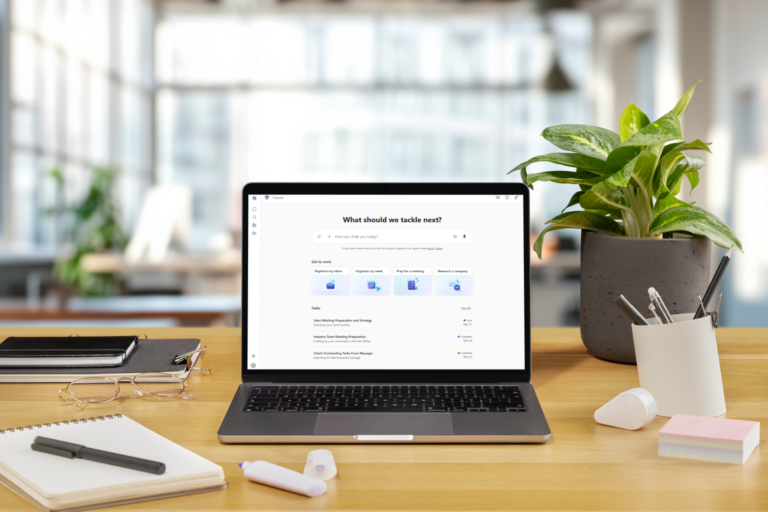
- Copilot Cowork helps execute work, not just answer prompts.
- You delegate outcomes; Cowork plans and carries the task forward.
- It works across Microsoft 365 (Outlook, Teams, Word, Excel, SharePoint).
- You stay in control with approvals and check‑ins.
- It uses your existing permissions and data.
- Messy M365 = messy results (Cowork highlights the cracks).
- Availability is limited via Microsoft’s Frontier program.
If you’ve been using Copilot, you know you can use it for answering questions, summarising documents, and drafting the first version of… anything really.
Copilot Cowork is different.
Instead of helping you think, Copilot Cowork is designed to help you get things done.
Not in a sci‑fi, “AI replaces your job” way. More like a very capable team member who can:
- Take a task
- Break it into steps
- Work across numerous platforms (Outlook, Teams, Word, Excel, SharePoint and any integrated workloads)
- Check in when it needs guidance
- And keep going in the background while you focus elsewhere
Microsoft describes Copilot Cowork as being built for long‑running, multi‑step work, not just quick answers or single prompts.
If regular Copilot is like asking a colleague a question, Copilot Cowork is like delegating the task and saying, “Can you run with this?”
So… what is Copilot Cowork?
Copilot Cowork is an execution layer inside Microsoft 365 Copilot.
You describe the outcome you want, and Cowork:
- Turns that request into a plan
- Uses your emails, meetings, chats, files, and data to do the work
- Carries tasks forward over time
- Shows progress and asks for approval before making changes
All of this happens within your Microsoft 365 tenant, using your existing permissions and security model.
Think of it like this:
Regular Copilot is a great assistant sitting next to you.
Copilot Cowork is a teammate who can actually leave the room and do the work.
Importantly, you don’t lose control. Cowork:
- Flags what it plans to do
- Pauses for approval
- Checks in when something is unclear
- Let’s you steer or stop at any point
You’re still in charge. You’re just no longer doing every step yourself.
What can Copilot Cowork do?
This is where it gets practical.
Copilot Cowork is designed to work across apps, not inside a single one. Microsoft has shown Cowork handling things like:
Coordinating work across tools
Cowork can reason across Outlook, Teams, Excel, Word, SharePoint and your calendar, pulling context from all of them at once.
For example:
- Review recent emails and Teams chats
- Pull relevant documents from SharePoint
- Draft a summary in Word
- Create a data table in Excel
- Prep a deck in PowerPoint
All from one instruction.
Turning intent into action
Instead of “summarise this doc”, you can ask things like:
- “Prepare me for next week’s exec review”
- “Clean up my calendar and protect focus time”
- “Pull together a status update for stakeholders”
Cowork builds a plan, executes it step by step, and keeps you looped in.
Handling longer‑running tasks
Cowork isn’t limited to a single prompt-and-response moment.
Tasks can run for minutes or longer, carry on in the background, and continue even while you’re doing other work, with visible progress along the way.
That’s a big shift from the Copilot many people are used to.
What do you need to make Copilot Cowork work properly?
Here’s the part people sometimes skip. And regret later.
Copilot Cowork doesn’t magically fix a messy Microsoft 365 environment.
It uses what it can access.
That means everything that already matters for Copilot readiness matters here too.
Permissions still rule
Cowork respects your existing permissions.
Which is great, if your permissions are set up properly.
If not, Cowork can surface:
- Outdated content
- Overshared documents
- Confusing or conflicting information
Same rules, bigger spotlight.
Structure matters more than ever
Copilot Cowork works best when:
- SharePoint sites are clear and purposeful
- Content lives where people expect it
- Files aren’t duplicated across twenty folders “just in case”
AI doesn’t hate mess.
But it also doesn’t tidy it up for you.
Content quality affects output quality
Cowork isn’t inventing knowledge. It’s working with your information.
If documents are:
- Out of date
- Vaguely named
- Missing context
Cowork will still produce confident answers, just not always the right ones.
In other words: Copilot Cowork readiness is Copilot readiness.
Cowork simply raises the stakes.
When is Copilot Cowork available?
Right now, Copilot Cowork is not generally available to everyone.
As of March–April 2026:
- Copilot Cowork is available through Microsoft’s Frontier program
- Access is limited to organisations enrolled in that early-access channel
- Even then, it may only be enabled for selected users or roles
This means:
- You can have Microsoft 365 Copilot and still not see Cowork
- You can hear people talk about it before IT enables it
- You may need both the right licence and the right tenant settings
That staged rollout is intentional. Cowork touches real workflows, not just drafts and summaries.
The bottom line
Copilot Cowork is not “just another Copilot feature”.
It’s Microsoft signalling a shift from:
“AI helps you do your work faster”
to
“AI helps carry the work forward with you.”
It's what Microsoft is calling the 3rd wave of AI, agentic capability.
That’s powerful, and genuinely helpful, when the foundations are in place.
If your Microsoft 365 environment is well-structured, secure, and understood, Copilot Cowork can feel like gaining an extra pair of hands.
If it isn’t?
Cowork doesn’t hide the cracks. It highlights them.
FAQs: Copilot Cowork
What is Copilot Cowork?
Copilot Cowork is an execution layer within Microsoft 365 Copilot that helps carry work forward over time. Instead of just responding to a prompt, it turns your goal into a plan and executes it step by step.
How is Copilot Cowork different from regular Copilot?
Regular Copilot helps you think and draft. Copilot Cowork helps you delegate and execute. It’s designed for long‑running, multi‑step work rather than quick questions or single responses.
What kinds of tasks can Copilot Cowork handle?
Copilot Cowork can coordinate work across multiple Microsoft 365 tool, for example:
- Reviewing emails and Teams chats
- Pulling documents from SharePoint
- Creating summaries, tables, or presentations
- Preparing updates or reviews from multiple sources. All from one instruction.
Does Copilot Cowork work in the background?
Yes. Tasks can run for minutes or longer, continue in the background, and show visible progress while you work on other things.
Do I still have control over what Copilot Cowork does?
Yes. Copilot Cowork:
- Shows what it plans to do
- Pauses for approval
- Checks in when something is unclear
- Allows you to steer, stop, or change direction at any time. You remain responsible for the outcome.
Does Copilot Cowork respect Microsoft 365 permissions?
Yes. Copilot Cowork works entirely within your Microsoft 365 tenant and uses your existing permissions and security model. It can only access information you already have access to.
Will Copilot Cowork clean up my SharePoint or files for me?
No. Copilot Cowork does not fix poor structure, oversharing, or outdated content. Instead, it surfaces whatever is already there. Good or bad.
What happens if our content or permissions are messy?
Cowork will still produce outputs, but they may be based on:
- Outdated documents
- Conflicting information
- Overshared or poorly structured content. The more complex the task, the more visible these issues become.
What do we need to be “Copilot Cowork ready”?
The same things are needed for Copilot readiness:
- Clear, purposeful SharePoint sites
- Logical content locations
- Well‑governed permissions
- Up‑to‑date, well‑named documents with context.
Copilot Cowork simply raises the stakes.
Sources
- Copilot Cowork: A new way of getting work done
https://www.microsoft.com/en-us/microsoft-365/blog/2026/03/09/copilot-cowork-a-new-way-of-getting-work-done/ - Copilot Cowork: Now available in Frontier
https://www.microsoft.com/en-us/microsoft-365/blog/2026/03/30/copilot-cowork-now-available-in-frontier/ - Get started with Copilot Cowork (Frontier)
https://support.microsoft.com/en-us/topic/get-started-with-copilot-cowork-frontier-60be4cea-b913-471b-a0d8-f9ab73c6b0be - Microsoft Copilot Frontier program
https://www.microsoft.com/en-us/microsoft-365-copilot/frontier-individuals