
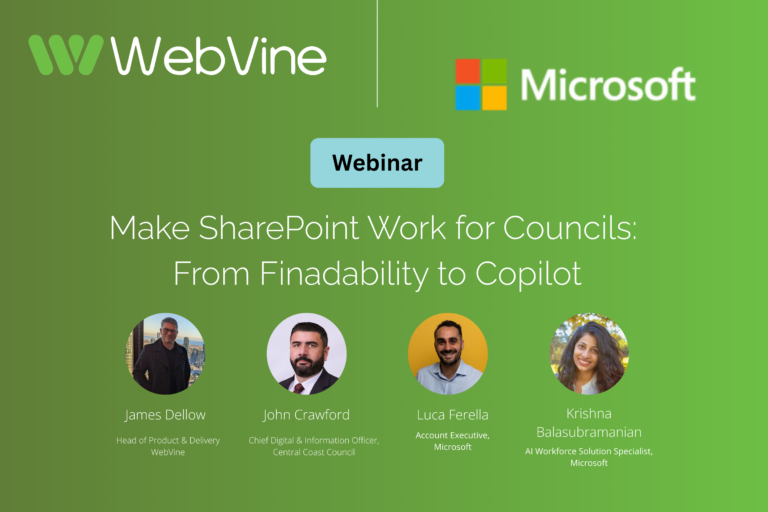
Webinar Wrap Up
Copilot puts a spotlight on something councils have been wrestling with for years: findability in SharePoint.
So we partnered with Microsoft to run a practical webinar for councils, focused on getting SharePoint foundations right and preparing for Copilot with confidence.
In the session:
- John Crawford, Chief Digital and Information Officer at Central Coast Council, shared what really happened when his council enabled Copilot for every employee
- James Dellow, WebVine’s Head of Delivery and Product, walked through what a good SharePoint setup looks like, plus a practical Copilot adoption approach councils can confidently apply
You can watch the full webinar recording below.
If you prefer to read, we’ve summarised the key takeaways underneath.
The big message from the webinar
One thing became very clear during the session:
If SharePoint isn’t working well today, Copilot will only amplify the problem.
Copilot doesn’t magically fix messy content, unclear permissions, or poor structure.
It reflects what’s already there just faster and more visibly.
That’s why getting the foundations right matters so much.
The “perfect” SharePoint setup (spoiler: it’s not about perfection)
When people hear “the perfect SharePoint setup”, they often imagine something complex or unrealistic.
In reality, as James explained, a strong SharePoint environment isn’t about perfection.
It’s about solid foundations.
A good way to think about it is like a well‑run library:
- Clear signage
- Sensible rules
- Spaces people want to use
Across the councils we work with, the ones getting the most value from SharePoint (and feeling more confident about Copilot) consistently focus on three things.
1. Well‑planned information architecture
Clear site structures, logical groupings, and just enough metadata to help people find what they need, without over‑engineering.
When architecture is done well, staff aren’t relying on memory, luck, or the same “go‑to person” every time.
2. Governance built in from the start
Good governance isn’t about locking everything down.
It’s about:
- Clear ownership
- Simple rules
- Guardrails that support work instead of blocking it
When governance is built early, it’s much easier to support compliance and productivity. And much harder for SharePoint to quietly drift into chaos.
3. User‑friendly design
SharePoint must make sense to real council staff, not just the people who built it.
Clear navigation, consistent layouts, and familiar language all make a huge difference to:
- Adoption
- Trust
- Long‑term sustainability
We often compare this to a well‑run council building: clear signage, sensible rules, and spaces people want to use.
What “good” delivers day to day
When SharePoint is set up well, the benefits show up quickly, not as flashy features, but in everyday work:
- Less time searching, more time doing
- Smoother collaboration across teams and departments
- More consistent ways of working
- A reliable foundation for Copilot to add real value
The bottom line?
Fewer workarounds, less frustration, and better value from tools councils already pay for.
Why findability still matters (especially for councils)
Staff expectations at work have changed.
Outside the workplace, people type full questions into search boxes and get clear answers. Inside many council intranets, they’re still guessing keywords, clicking through folders, or asking colleagues where things live.
That gap creates:
- Lost time searching
- Low trust in content
- Workarounds outside governed systems
For councils, this isn’t just a productivity issue. It’s a risk and compliance issue.
Search today isn’t just about keywords. It’s about meaning, context and trust. And that’s exactly what tools like Copilot rely on.
Copilot changes the stakes (but not the fundamentals)
Copilot respects your existing permissions. That’s reassuring. And also important.
Because it means:
- If access is messy, Copilot can surface information more widely than expected
- If content is outdated or duplicated, Copilot reflects that
- If structure is unclear, answers are less trustworthy
Copilot doesn’t fix SharePoint problems.
It magnifies them.
That’s why Copilot readiness is really about:
- Security and permissions
- Content organisation
- Compliance and information lifecycle
Not flipping a switch.
What happened when Central Coast Council enabled Copilot for everyone?
John Crawford, Chief Digital and Information Officer at Central Coast Council, shared why his team made the decision to enable Copilot for 100% of staff.
Like many councils, they were seeing teams use unsanctioned tools. Not because people were trying to bypass IT, but because they were just trying to get their work done.
Over time, that created growing security and governance risks.
Rather than restricting access, the council took a different approach.
The Foundations Behind it
- ~2,400 staff upgraded to Microsoft 365 E5 (including Copilot)
- ~700 servers migrated to Azure
- A single, secure environment across Microsoft 365, SharePoint and Teams
The result was a platform that was safe, secure, and easy to use, so staff naturally returned to a governed environment.
Key Lessons from Central Coast Council’s Copilot Enablement
- Get your digital house in order first: organised content, strong governance and a modern SharePoint/MS365 platform
- Invest in your people: Training, champions and change management drove adoption
- Be bold: Rolling Copilot out organisation wide accelerated uptake and learning.
A Practical Copilot Adoption Approach for Councils
Rather than rushing to roll Copilot out everywhere, we talked through a safer, more realistic approach.
Start with readiness
Before enabling Copilot, councils should be confident that SharePoint is:
- Secure — right access for the right people
- Well organised — clear structure and findable content
- Compliant — aligned to records and retention obligations
A SharePoint‑focused readiness check is often a practical starting point.
Think about it as not giving AI the keys till you’ve checked the doors.
Align stakeholders early
Successful Copilot adoption isn’t just technical.
Different groups care about different things:
- Executives focus on risk, governance and strategic value
- IT and data teams focus on security, licensing and content quality
- End users want clear, practical wins that help them do their job
Alignment means meeting each group where they are, and not giving everyone the same message.
Utlising Tools to Support Readiness
Software Asset Management (SAM)
SAM helps councils understand how Microsoft 365 is actually being used.
It provides:
- Visibility into real usage
- Confidence in licensing decisions
- Reduced risk of uncontrolled sprawl
This matters because Copilot amplifies usage patterns.
SAM helps ensure adoption is intentional, not accidental, and supports cost, governance, and compliance conversations as AI moves into business‑as‑usual.
AI Readiness Check
WebVine’s AI readiness check turns insight into action by:
- Supporting governance conversations
- Helping prioritise improvements
- Grounding Copilot readiness in evidence
Page Readiness Dashboard
Copilot doesn’t fix content. It reflects it.
This WebVine‑run assessment helps councils:
- Identify outdated or low‑quality pages
- Improve findability and trust
- Make content more Copilot‑ready
Pilot first, then scale
A controlled Copilot pilot:
- Reduces risk
- Surfaces issues early
- Builds confidence based on real experience
By the time Copilot scales, it feels familiar. Not risky or overwhelming.
Train your people
Good training turns curiosity into confident use.
What works best:
- Targeted, role‑based training
- Real examples and demos
- Practical wins (like drafting reports from council documents)
The key is combining content preparation with user education, and being clear about what Copilot can, and can’t, do.
5 Steps for SharePoint Best Practice
- Governance – clear ownership and simple rules
- Architecture – structure that reflects how councils work
- Training – practical, role‑based, scenario‑driven
- Incremental rollout – steady, manageable change
- Measure and support – ongoing improvement, not set‑and‑forget
Key takeaway
If there’s one message to take away from the webinar, it’s this:
Foundations first. Always.
When SharePoint is easy to use and trustworthy:
- Staff adopt it naturally
- Governance becomes easier
- Copilot becomes a natural next step — not a risky leap
If you’re thinking about Copilot, or simply want SharePoint to work better for your council, you don’t have to tackle it alone.
WebVine supports councils with:
- SharePoint governance and architecture
- Copilot readiness assessments
- Practical training and pilot programs
If you’d like to talk through what makes sense for your organisation, we’re always happy to help.