
Copilot doesn’t “fix” messy SharePoint.
It uses what it can access, which means outdated content, unclear permissions, and weak structure show up fast in AI answers.
If your SharePoint isn’t in good shape, Copilot won’t quietly fail. It will confidently surface the wrong things. And people notice.
Start with a free readiness check and see what’s likely to trip Copilot up before it trips your teams.
Why SharePoint readiness matters for Copilot (and AI generally)
Copilot respects your Microsoft 365 permissions and governance… which is great.
But it also means Copilot will surface whatever your environment already allows, for better or worse.
If SharePoint is cluttered, overshared, or out of date, those problems don’t stay hidden. They show up faster, more confidently, and at scale.
- Avoid bad answers: Messy or outdated content leads to inaccurate AI responses. And once trust is lost, it’s hard to win back
- Reduce oversharing risk: Broad permissions that “haven’t caused issues yet” become far more visible with Copilot
- Protect adoption: People stop using Copilot when it wastes time or surfaces the wrong things. Even if the licences are already paid for
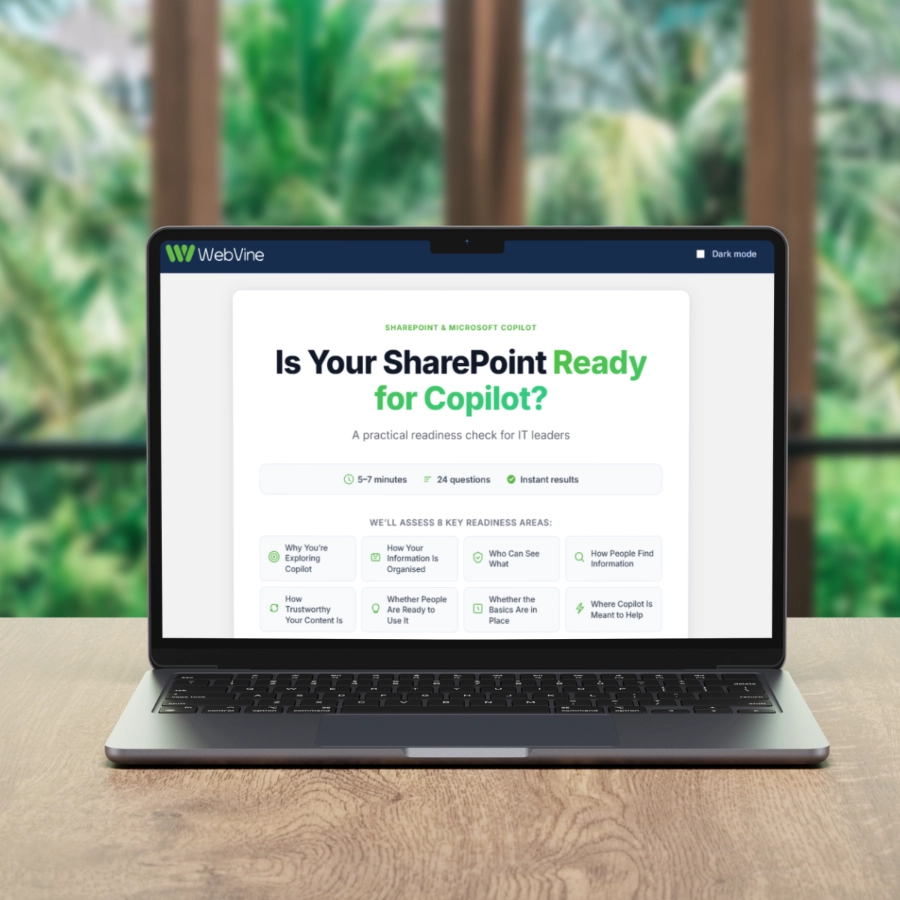
A Quick Practical Way to Check Your Risk
Access a free “How Ready Is Your SharePoint for Copilot?” check for CTOs, CIOs, and IT leaders.
In a few minutes, you’ll get:
A clear view of the roadblockers Copilot will face in your environment
Your results grouped into key Copilot foundations (not a vague score)
A prioritised list of what to focus on first with quick wins vs deeper fixes
This is not a scary “you must fix everything” report.
We provide practical insight you can use to get your house in order.
What the readiness check looks like
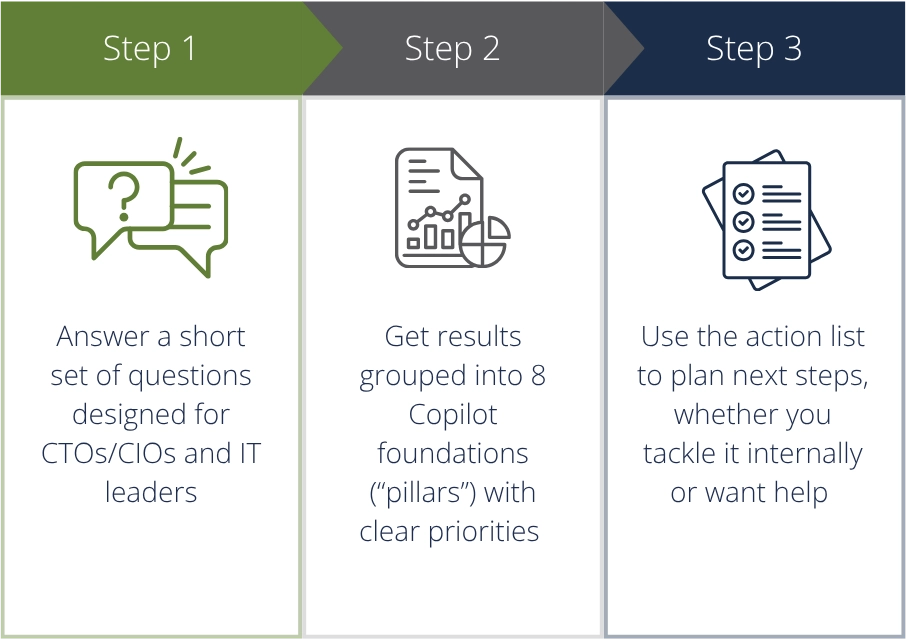
It’s not pass/fail.
It’s about knowing where Copilot will help. And where it could hurt
You’ll finish with a clear action list. Not a vague score
In just a few minutes, you’ll receive a tailored set of focus areas showing where Copilot is most likely to underperform or introduce risk if nothing changes.
Your results are grouped into four clear signals:
A prioritised view of Copilot readiness blockers
Highlighting the issues most likely to affect accuracy, trust, or safe use.
Practical recommendations you can act on internally
So small, fixable problems don’t quietly turn into bigger ones once Copilot is in daily use.
Clear priorities
Helping you focus on quick wins first, instead of spreading effort thin and getting little return.
Optional follow up guidance
A short, practical explanation of what your next best step looks like.
Ready to see where you stand?
Prefer to talk it through instead of doing the survey? No problem.
Share a few details and we’ll point you to the most practical next step for your organisation.
FAQs
You’ll get a set of prioritised focus areas (pillars) and practical actions to address the biggest readiness gaps first.
If you want, you can share your details and we’ll provide a short, practical explanation of your next best step.